Documents & Files01
PageTurn

Drop in a Word document or PDF and download a PowerPoint with one page per slide. Conversion runs in your browser after you sign in — files never leave this device.
Explore →
9 hand-checked tools across 7 categories, chosen by people who work on events. Search by name or filter by what you're trying to get done.
Drop in a Word document or PDF and download a PowerPoint with one page per slide. Conversion runs in your browser after you sign in — files never leave this device.
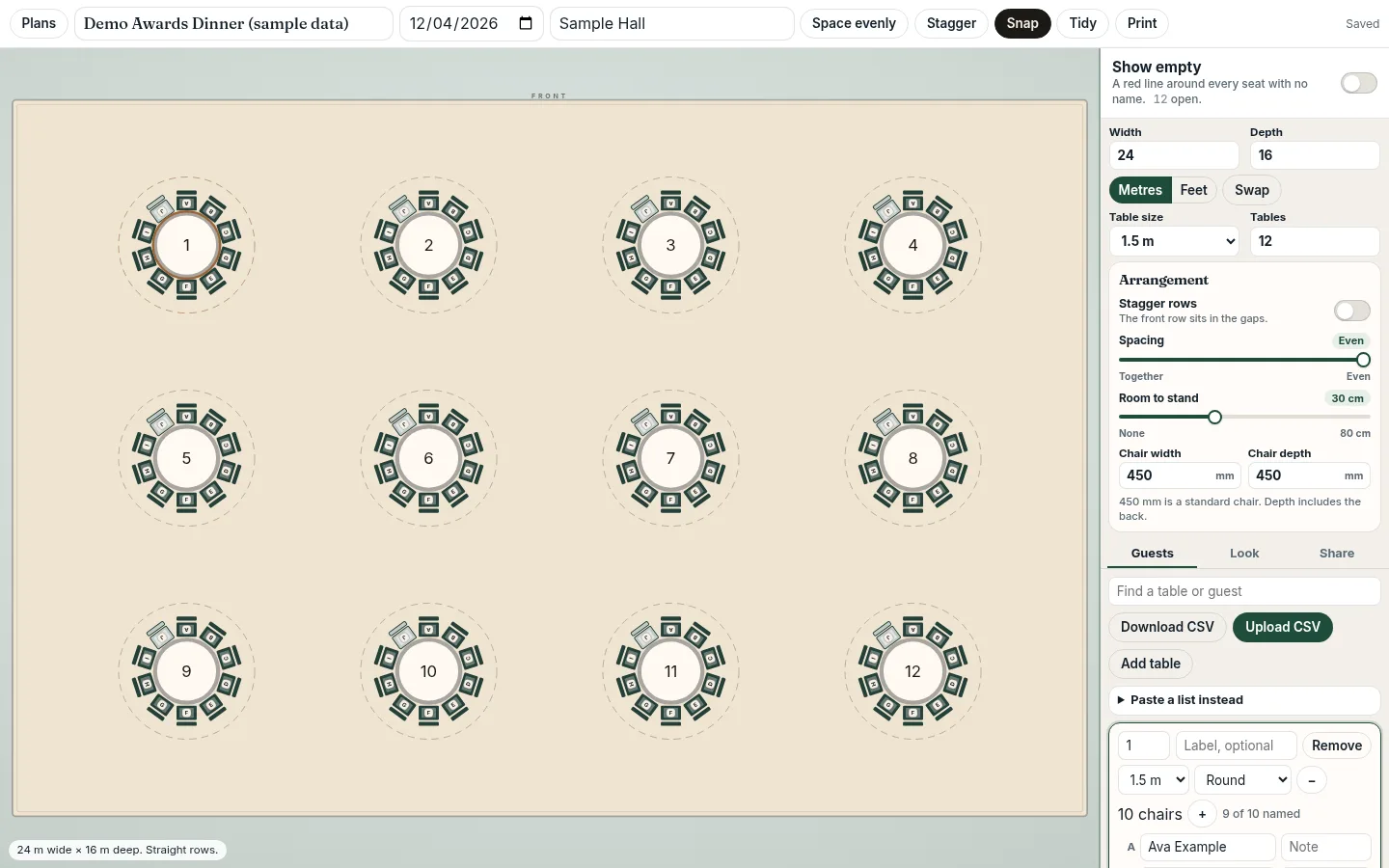
Set the room size, pick a 5 to 10 foot table or a metric size, choose the chair size, and space the tables from packed to even in straight or staggered rows. Download a CSV, fill in the names, and upload it back. Share a guest link and a separate display link. The display can show a QR code of the guest link. Assigned seats use letters, such as table 1A, and can name who sits on either side.
A free, full-featured Photoshop-class image editor that runs entirely in the browser. Files are never uploaded and never leave the device.
Free, open-source CAD for opening and saving DWG and DXF, 2D drafting, and 3D modeling in the browser or on Windows, Linux, and macOS.
Countdown Timer 2.0 for Windows is a fully featured timer for A/V professionals. Displays the timer on a secondary display, including optional progress bar, clock and message. Companion controlled.
draw.io is free online diagram software for making flowcharts, process diagrams, org charts, UML, ER and network diagrams.
Software for long-distance professional audio enabling real-time high definition audio with low latency for interviews, recordings, podcasts, radio, and film production worldwide.
Type an announcement, pick a voice, press Play. Professional AI-powered PA announcements for live events — no audio editing required.
FreeConvert.com is an online file converter that supports converting over 1500 different file formats, including documents, images, videos, audio, ebooks, archives, and CAD files, with no software installation required.
Events run on a long list of small jobs: converting a client's slide deck the night before, drawing a seating plan, timing a running order, cueing walk-in music, checking a floor plan against the room. Most of the software built for events sells to organisers buying registration platforms. The people doing the work on the day often end up searching for a converter or a countdown timer at the last minute and hoping it's safe to use.
This directory is for those people: event managers keeping the plan together, production managers and technical directors, AV, sound, lighting and video technicians, stage managers calling the show, and planners and venue teams handling the details for clients. Every tool here does something useful in that work and is free to start with.
Anyone can suggest a tool. We check every suggestion by hand before it goes live: does it work, is it relevant to events, and is there a free way to use it? Each tool goes in one of 12 fixed categories, from Documents & Files and CAD & Floor Plans to Show Control & Timing, Audio & Comms and Compliance & Safety. We write a short plain-English description so you can tell quickly whether it fits your job.
We don't sell listings or placement, and the directory doesn't carry ads. When a tool changes its pricing or stops working, we update or remove it. If you spot one that's out of date, tell us at enquire@businesseventspace.com.
2 tools run here on Business Event Space: PageTurn, Table Plan. They're built around problems we kept hitting on shows, and you can use them free with an account. Everything else links straight to the maker's site, so you deal with them directly and their own terms apply.
Test anything new before show day, on the same machine and network you'll use on site. Keep an offline copy of files you can't lose. Check what a tool does with your client's data before you upload anything confidential. A tool that's free today can change its terms, so don't build a whole workflow on one you haven't checked recently.
If you use something that saves you time on events and it isn't listed, suggest it here. Tell us what it does and who it helps, and we'll review it. You can also browse event production companies and suppliers, or see what's most useful for your role.
Listing and browsing is free. Most tools in the directory have a free version or free tier; the tools we host ourselves, such as the Word and PDF to PowerPoint converter and the table plan editor, are free with a Business Event Space account. Third-party tools keep their own pricing, so check the tool's own site before you rely on it for a show.
Anyone can suggest a tool with the submit form on the homepage. We check every suggestion by hand before it goes live, put it in one fixed category and write a short plain description. We don't take payment for listings or for placement.
Event managers, production managers, AV and sound technicians, stage managers, planners and venue teams: the people who build, run and support live and business events.
Hosted tools open on businesseventspace.com at /tools/ followed by the tool name. Everything else links straight to the maker's own website.
Yes. Tell us what it does and who it's for in the submit form. We list tools that are useful to event teams whoever made them, and we'll say if it's your own.